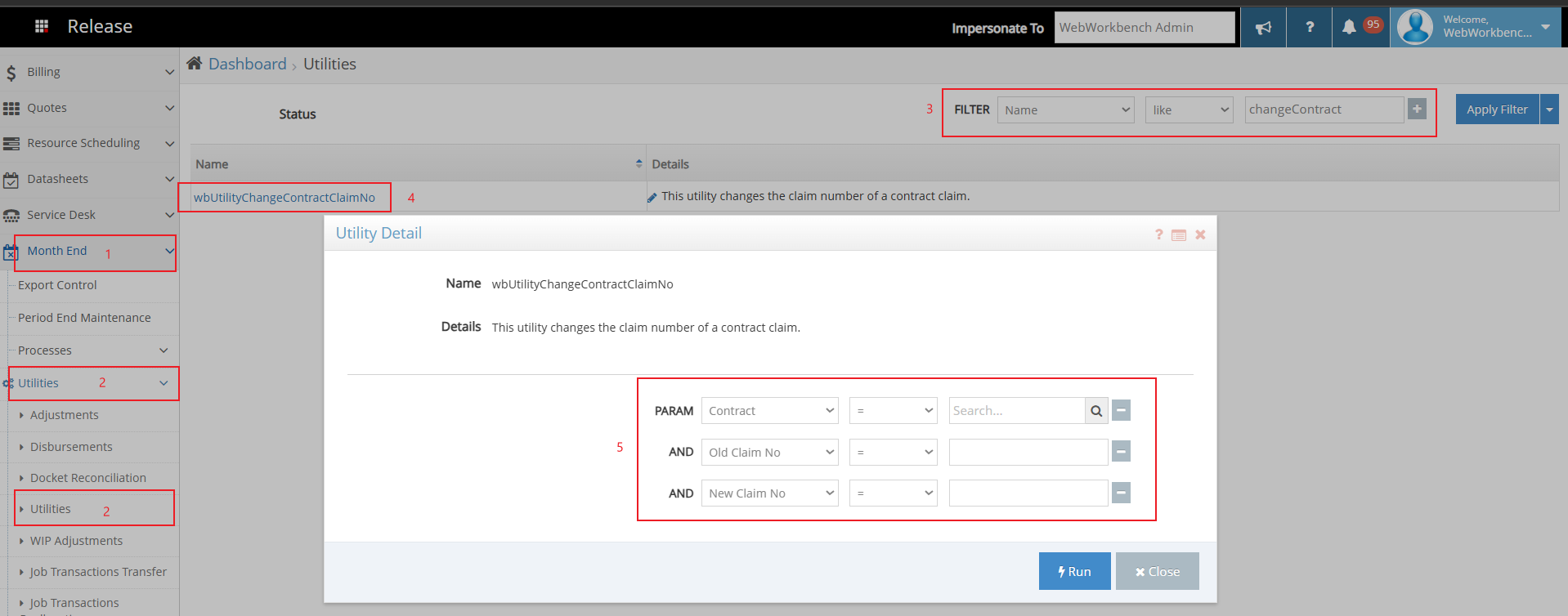
To change a Contract Claim No in Workbench, you can run the utility below.
Steps:
- Click Month End to expand the list.
- Click Utilities, and then click utilities from the list.
- Set the filter Name <like> wbUtilityChangeContractClaimNo
- Click the hyperlink
- Populate the filter options as required.
- Contract Code related to the claims.
- Enter current claim no.
- Enter the new claim no.
- Click Run.