
To ensure your branding displays correctly in the new Upvise Web Interface, you can update your company logo as follows:
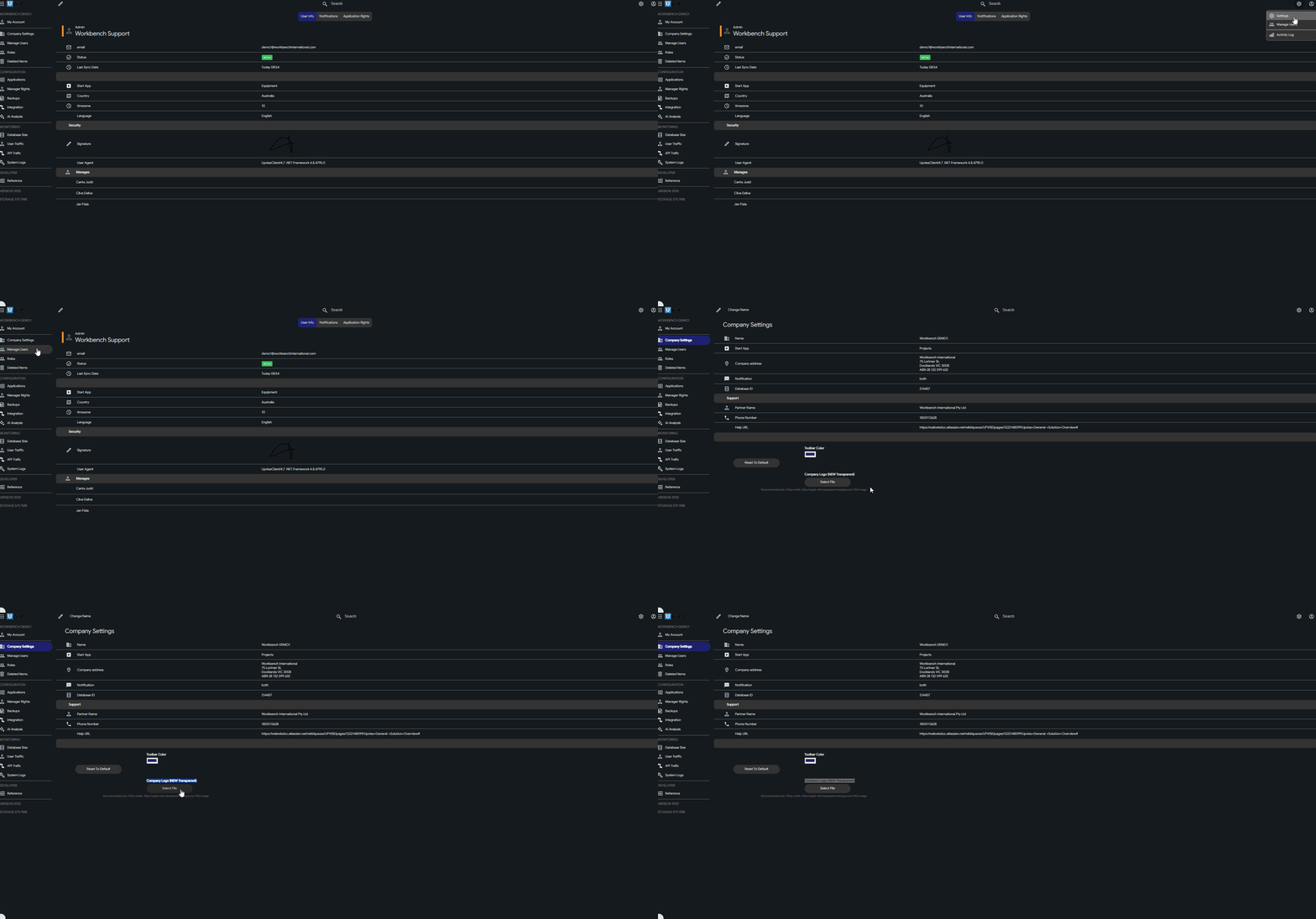
Log in to Upvise (Web)
Navigate to Settings > Company
Upload your logo using the following specifications:
Format: PNG
Background: Transparent
Recommended width: 600px
Click Save
Refresh your browser to confirm the logo displays correctly
Tip: If the previous logo is still visible, clear your browser cache or hard refresh (Ctrl + F5 / Cmd + Shift + R).
Related: How do I change the Header & Footer in Upvise PDFs?